Mypipette – Explained My Pipette Creator, Skins, and MyPIPETMAN!
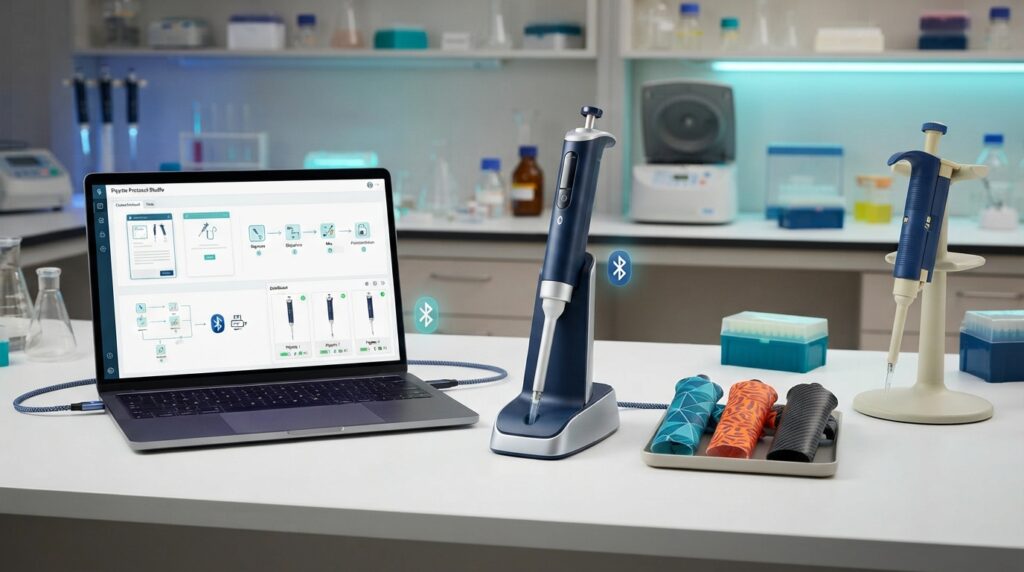
If you searched for MyPipette, you may have encountered several different products using very similar names. That can make the term confusing, especially because it has been associated with Thermo Fisher software, older Thermo Scientific pipette skins, and Gilson’s customizable MyPIPETMAN line.
The most important distinction is simple: My Pipette Creator is a digital pipetting application, while MyPIPETMAN is a physical customizable pipette product. MyPipette Skins were a separate Thermo Scientific personalization accessory introduced years earlier.
Understanding that difference makes it much easier to find the right software, equipment, or documentation.
What Is MyPipette?
“MyPipette” is not a universal name for one laboratory product.
Today, the term most commonly leads to information about Thermo Fisher Scientific’s My Pipette Creator, a web-based application used to create, manage, edit, and share pipetting protocols with compatible electronic pipettes.
The name can also appear in connection with:
- My Pipette Creator — Thermo Fisher’s pipetting application
- My Pipette Connect Utility — software used to connect compatible electronic pipettes with the application
- MyPipette Skins — an older Thermo Scientific personalization product
- MyPIPETMAN — Gilson’s customizable manual pipette range
These should not be treated as interchangeable products.
What Is My Pipette Creator?
My Pipette Creator is a web-based pipetting application available through Thermo Fisher Connect.
Its purpose is to make protocol management easier for laboratories using compatible Thermo Scientific electronic pipettes.
The application can be used to create and edit pipetting programs, organize protocols, share them with colleagues, and transfer compatible programs to connected pipettes.
Thermo Fisher also provides a protocol library containing ready-to-use programs for selected assays and reagent kits.
This can be useful when a laboratory wants a more standardized way of managing repetitive pipetting procedures instead of manually configuring every compatible electronic pipette.
What Does My Pipette Creator Do?
The main functions can be grouped into four areas.
1. Create pipetting programs
Users can build protocols containing the required pipetting steps and parameters.
This is useful for workflows that involve repeated or structured liquid-handling procedures.
2. Edit existing protocols
Existing programs can be modified rather than recreated from the beginning.
That can save time when a laboratory has similar workflows that require small changes.
3. Share protocols
Protocols can be shared between users and used across compatible connected pipettes.
For laboratories with multiple researchers, centralized protocol management can help reduce unnecessary duplication.
4. Use ready-made protocols
Thermo Fisher maintains a protocol library containing pre-programmed protocols for certain applications, assays, and reagent kits.
The exact availability of protocols can change, so users should check the current Thermo Fisher library for their particular workflow.
Which Pipettes Work With My Pipette Creator?
Compatibility depends on the specific pipette model and software configuration.
Thermo Fisher documentation identifies compatible electronic pipettes such as the E1-ClipTip family, while current Thermo Fisher material also references FluidEase Pro ClipTip electronic pipettes.
That does not mean every Thermo Fisher pipette automatically works with My Pipette Creator.
Before installing software or attempting to connect a device, check the official compatibility information for the exact model you own.
This is especially important when working with older pipettes or different generations of electronic hardware.
How Does My Pipette Creator Connect to a Pipette?
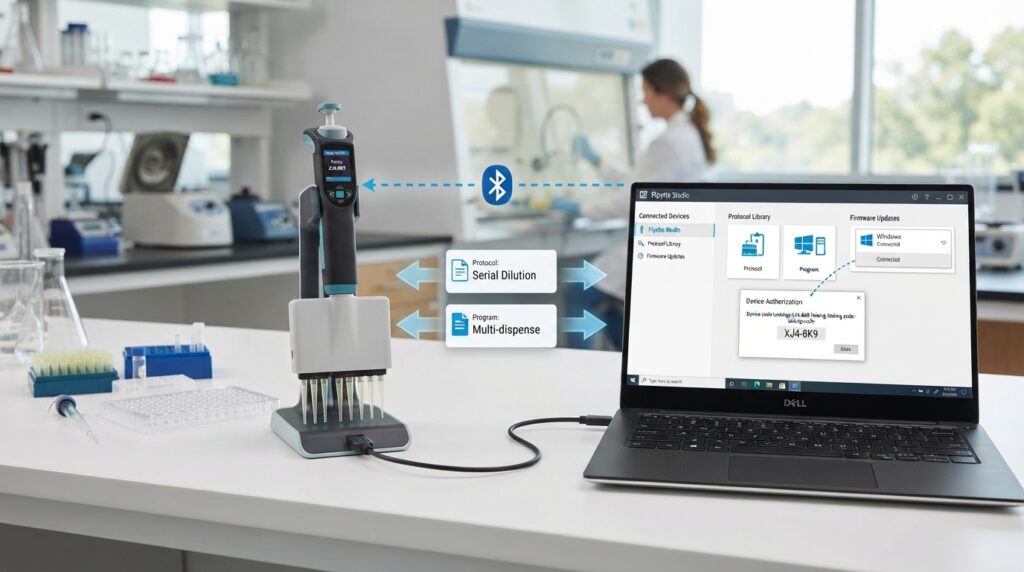
The application and the physical pipette perform different roles.
The web application is where protocols can be created and managed. A compatible connection utility can then provide the link between the computer and supported electronic pipette hardware.
Thermo Fisher documentation describes connections involving compatible E1-ClipTip pipettes through methods such as Bluetooth or USB, depending on the supported device and configuration.
Because connection procedures can vary by hardware and software version, the manufacturer’s current instructions should take priority over generic installation guides.
Is My Pipette Creator Free?
Thermo Fisher states that users can access My Pipette Creator with a Thermo Fisher Cloud account, and account creation is free.
However, free access to the application should not be confused with free laboratory hardware.
The electronic pipettes that work with the software are physical laboratory instruments and are purchased separately.
In other words:
The application and the pipette are different parts of the overall system.
Always check the current Thermo Fisher terms and product requirements for your region.
What Is the My Pipette Connect Utility?
The My Pipette Connect Utility is a supporting component used to establish communication between a computer and compatible Thermo Scientific electronic pipettes.
This is particularly relevant when a user needs to transfer programs between My Pipette Creator and a supported pipette.
If you are looking for a download, use the official Thermo Fisher website rather than an unknown software-download site.
Laboratory software should never be downloaded from an unofficial source simply because it appears higher in a search result.
What Were MyPipette Skins?
MyPipette Skins were a different product from My Pipette Creator.
Thermo Scientific introduced MyPipette Skins as a way to personalize compatible manual pipettes with decorative protective skins.
The 2014 product announcement described customization for Thermo Scientific F1-ClipTip and Finnpipette F1 manual pipetting systems. The announcement also described UV-protected, fade-resistant skins that could be applied, cleaned, removed, and replaced.
This is useful historical context because older laboratory articles can still appear when someone searches for “MyPipette.”
However, the existence of those historical articles should not be interpreted as proof that the same skin program is currently sold or supported.
If you are specifically looking for MyPipette Skins today, verify current availability directly with the manufacturer.
What Is Gilson MyPIPETMAN?
MyPIPETMAN is Gilson’s customizable pipette offering.
Unlike My Pipette Creator, it is not a software application.
Gilson describes MyPIPETMAN as a customizable physical pipette with personalization and configuration options. Depending on the model, users can select different design or functional options and personalize the instrument.
This makes MyPIPETMAN particularly relevant when someone searching for “MyPipette” actually wants a customized laboratory pipette rather than pipetting software.
My Pipette Creator vs MyPIPETMAN
The easiest way to understand the difference is to look at their purpose.
| Feature | My Pipette Creator | Gilson MyPIPETMAN |
|---|---|---|
| Company | Thermo Fisher Scientific | Gilson |
| Type | Software/application | Physical pipette |
| Main purpose | Manage and program pipetting protocols | Customize a pipette |
| Works with | Compatible electronic pipettes | Gilson PIPETMAN products |
| Protocol management | Yes | No |
| Personalization | Digital workflow | Physical customization |
| Hardware purchase | Requires compatible pipette for full connected workflow | The customized pipette itself |
| Best starting point | Users looking for pipette software | Users looking for a personalized pipette |
The two products solve different problems, so choosing between them depends on what “MyPipette” means in your particular search.
MyPipette and Laboratory Workflow
The biggest practical benefit of connected pipetting software is workflow consistency.
For example, a laboratory that repeatedly performs a structured liquid-handling procedure may benefit from maintaining a standardized protocol rather than having every operator enter the same sequence manually.
Protocol sharing can also make collaboration easier when several researchers use compatible electronic pipettes.
That does not eliminate the need for appropriate laboratory training, validation, calibration, or quality-control procedures. Software can help manage a workflow, but it does not by itself prove that a pipette is accurately calibrated or that an experimental procedure is valid.
Is MyPipette the Same as a Pipette Calibration System?
No.
This distinction is important.
My Pipette Creator is primarily associated with pipetting protocol creation and management.
Pipette calibration is a separate technical and quality-control activity involving the performance of the instrument and appropriate testing procedures.
A laboratory should follow its own calibration program, manufacturer’s requirements, applicable standards, and quality system rather than assuming that software-based protocol management replaces calibration.
Where Should You Download My Pipette Software?
If you are looking for My Pipette Creator or the associated connection utility, start with Thermo Fisher Scientific’s official website.
Avoid random download sites offering modified, “cracked,” or supposedly newer versions of laboratory software.
A legitimate laboratory software page should identify the relevant manufacturer, compatible equipment, version information, and official support documentation.
The same principle applies to pipette firmware and connection utilities.
When in doubt, locate the software through the manufacturer’s product or support section instead of relying on a third-party download link.
Who Is MyPipette Useful For?
The answer depends on which MyPipette product you mean.
Researchers using electronic pipettes
My Pipette Creator can be useful when compatible electronic pipettes are part of the laboratory workflow and protocols need to be created, managed, or shared.
Laboratories with repeated workflows
Teams performing repeatable procedures may benefit from maintaining standardized programs rather than recreating them for every run.
Teams sharing protocols
Centralized protocol management can be useful when several researchers need access to the same procedures.
Labs looking for customized equipment
Someone interested in personalized colors, markings, or other physical customization may be looking for Gilson’s MyPIPETMAN rather than Thermo Fisher software.
Researchers investigating older products
If you have encountered a reference to MyPipette Skins, you are probably looking at historical Thermo Scientific material rather than the current My Pipette Creator application.
Common MyPipette Questions
1. Is MyPipette a software program?
It can refer to software, but the terminology is broader than that. Thermo Fisher’s My Pipette Creator is the current software-related product most directly associated with the name.
2. Is My Pipette Creator a pipette?
No. My Pipette Creator is software. It works with compatible electronic pipettes.
3. Is MyPIPETMAN the same as My Pipette Creator?
No. MyPIPETMAN is a Gilson customizable physical pipette, whereas My Pipette Creator is Thermo Fisher software.
4. Are MyPipette Skins the same as My Pipette Creator?
No. MyPipette Skins were an older Thermo Scientific personalization accessory, while My Pipette Creator is a digital pipetting application.
5. Can My Pipette Creator work with every Thermo Scientific pipette?
No. Compatibility depends on the model and supported configuration. Check the manufacturer’s current compatibility information before attempting to connect a device.
6. Can I download My Pipette Creator from any software website?
You should obtain laboratory software and connection utilities from the official manufacturer or a clearly authorized source.
7. Does My Pipette Creator replace pipette calibration?
No. Protocol management and instrument calibration are different functions.
Final Verdict
MyPipette is best understood as an ambiguous laboratory term rather than the name of one universal product. For modern Thermo Fisher users, the most relevant product is My Pipette Creator, a web-based application for creating, managing, and sharing pipetting protocols with compatible electronic pipettes.
Older references may instead describe MyPipette Skins, a Thermo Scientific personalization product introduced in 2014. And if your goal is to buy or design a customized physical pipette, Gilson MyPIPETMAN is a separate product with a very different purpose. The safest way to find the right solution is therefore to identify the exact product name, pipette model, and function you need before downloading software, purchasing equipment, or following setup instructions.