Grammarvista.Com Usa – Grammar Checker, American English, Features, Privacy & Review!
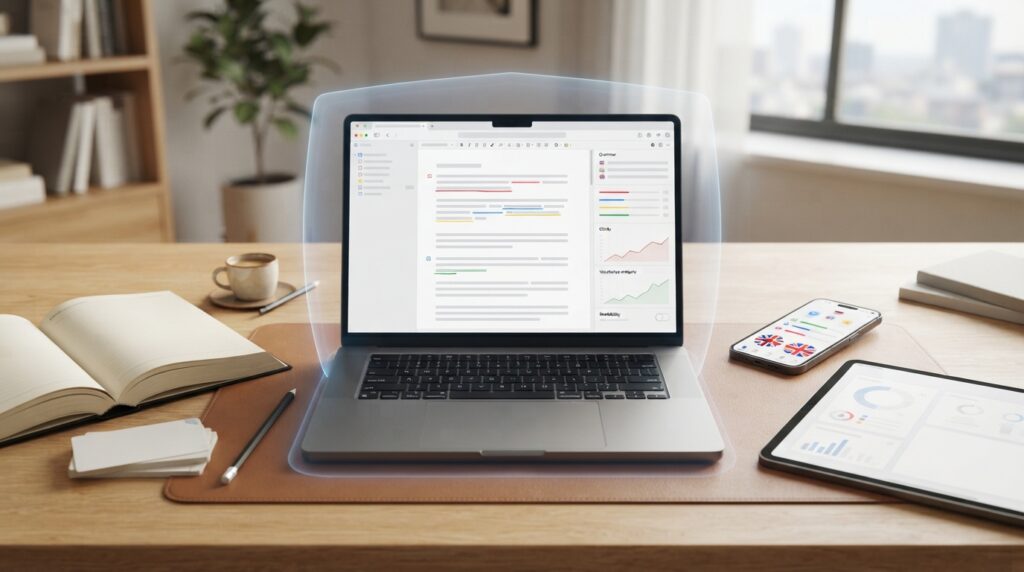
If you searched for GrammarVista.com USA, you may be trying to find out whether GrammarVista is a U.S.-only website, what the platform actually does, and whether it is useful for English writing.
The current answer is fairly straightforward: GrammarVista.com is an English-learning and writing platform with a browser-based grammar checker, spelling and clarity tools, vocabulary resources, practice materials, and a dedicated American English guide. The “USA” wording is best understood as a reference to its American-English focus rather than the name of a separate U.S.-only website.
GrammarVista currently says its main checker is free, requires no account, and processes the text inside the browser rather than uploading it to its servers. It also openly explains that automated checking has limitations and cannot identify every possible writing problem.
What Is GrammarVista.com USA?
GrammarVista.com USA refers to GrammarVista.com and its American-English resources.
The platform combines two related functions:
- Writing assistance, including grammar, spelling, clarity and other checks.
- English learning, including grammar lessons, vocabulary material, practice questions and explanations of common mistakes.
The current site describes itself with the message “Learn Grammar. Build Vocabulary. Write Better.” Its navigation includes Grammar, Vocabulary, Writing, Tools, Practice and Guides.
That makes GrammarVista different from a simple dictionary. It is designed to help users understand why a correction is suggested rather than merely replacing one word with another.
Is GrammarVista.com USA a Separate U.S. Website?
No separate U.S.-only edition is indicated by the current official site.
Instead, GrammarVista has a dedicated page titled “GrammarVista.com USA: the American English guide.” The site says its checker is set to American English by default while recognizing both American and British forms.
So the simplest interpretation is:
GrammarVista.com USA = GrammarVista.com with an American-English focus, not a separate U.S. branch.
This distinction matters because some searches make “USA” look like part of the official product name.
What Does GrammarVista.com Do?
The current platform provides several writing and learning functions.
Its main areas include:
- Grammar checking
- Spelling checking
- Clarity and word choice
- Readability
- Word counting
- Word exploration
- Grammar lessons
- Vocabulary resources
- Practice questions
- Common-mistake explanations
- American English guidance
The official tools page says the grammar checker covers 134 grammar and usage rules, while spelling is checked against a dictionary containing 276,734 words.
The homepage also says the checker can provide up to three possible fixes where alternatives are available.
GrammarVista Grammar Checker
The grammar checker is one of the platform’s central features.
A user can enter a sentence or other writing and receive suggested corrections. The service is designed to explain the change rather than simply highlight an error.
For example, a grammar lesson may show:
She go to school.
and explain why the standard form is:
She goes to school.
The educational element is important because correcting one sentence is useful, but understanding the underlying rule can help prevent the same mistake later.
What GrammarVista Checks
The official site says its grammar rules cover areas including:
- Subject-verb agreement
- Verb forms
- Countable and uncountable nouns
- Comparatives
- Articles
- Prepositions
- Commonly confused words
- Other grammar and usage patterns
It also explains that a clean result does not mean a piece of writing is guaranteed to be perfect.
GrammarVista Spelling Checker
GrammarVista also provides a spelling function.
The site states that its dictionary contains 276,734 English words and that the checker can suggest possible alternatives when it encounters an unfamiliar word.
This can be useful for ordinary spelling mistakes.
However, spelling software has an obvious limitation: a correctly spelled word can still be the wrong word.
For example, “form” and “from” are both real words.
A spelling checker may not always know which one you intended without understanding the surrounding context.
GrammarVista Clarity and Word Choice
Grammar is only part of good writing.
GrammarVista’s clarity and word-choice tools are designed to identify certain wordy expressions and weaker wording.
The official tools page says the clarity feature identifies 44 wordy or weak phrasing patterns and can provide stronger alternatives.
That can be useful when writing:
- Emails
- Articles
- Reports
- Assignments
- Website content
- Professional messages
The goal should not be to make every sentence as short as possible.
Good editing means removing unnecessary words while preserving the meaning, tone and personality of the original writing.
GrammarVista Readability and Word Counter
The platform also provides writing statistics.
The official homepage displays:
- Word count
- Character count
- Sentence count
- Estimated reading time
These features can be useful for students working within assignment limits, writers preparing articles, and professionals checking the approximate length of emails or documents.
GrammarVista Word Explorer
GrammarVista also includes a Word Explorer feature for looking up individual words.
There is an important privacy distinction here.
The site says the main checker processes writing locally in the browser, while an individual Word Explorer lookup sends that single word to a free dictionary service. The complete text being checked is not sent for that purpose.
Therefore, users should not treat every feature as identical from a data-processing perspective.
Does GrammarVista.com Upload Your Writing?
According to GrammarVista’s current explanation, the main grammar checker does not upload, store or log the text you enter.
The site says the checker and dictionary operate inside the browser. It even suggests that users can inspect browser network activity themselves to observe the behavior while checking text.
That is a meaningful privacy feature for people who prefer not to send ordinary writing to a remote grammar-processing service.
However, users with highly sensitive information should still follow their own security and privacy requirements.
Do not paste confidential business information, passwords, private customer records, secrets or other sensitive material into any online tool without first checking whether its use is permitted.
Is GrammarVista.com Free?
Yes.
The current official site describes GrammarVista’s core service as free and says users do not need an account or email address to use the main checker. It also states that there is no paid tier holding better corrections back.
That makes the platform particularly accessible for:
- Students
- ESL learners
- Freelancers
- Writers
- Teachers
- Professionals
- Occasional users
Does GrammarVista Require an Account?
No account is currently required for the main writing tools.
The site specifically presents its checker as:
- Free
- No-sign-up
- Browser-based
That means someone who only needs to check a sentence does not have to create a profile before using the basic tool.
How Does GrammarVista Work?
The basic workflow is simple.
Step 1: Enter your text
Paste or type the sentence or passage you want to review.
Step 2: Run the check
Use the available grammar, spelling, clarity or related tools.
Step 3: Review the suggestions
Look at the proposed correction and any alternative options.
Step 4: Read the explanation
Instead of automatically accepting every change, understand why the tool suggested it.
Step 5: Make your own decision
A suggestion may not always fit your intended meaning or style.
Step 6: Proofread manually
Read the complete piece after making changes.
This last step matters because automated grammar checking cannot evaluate everything.
What Does GrammarVista Mean by American English?
American English is the default variety used by GrammarVista’s checker.
The dedicated American English guide explains differences between U.S. and British conventions.
Examples include:
| Meaning | American English | British English |
|---|---|---|
| Color | color | colour |
| Center | center | centre |
| Favor | favor | favour |
| Theater | theater | theatre |
| Traveled | traveled | travelled |
| Apartment | apartment | flat |
| Elevator | elevator | lift |
| Truck | truck | lorry |
| Vacation | vacation | holiday |
These differences do not mean one variety is universally “correct.”
They are regional conventions.
For professional writing, the important principle is consistency.
Does GrammarVista Support British English?

Yes.
GrammarVista says its dictionary contains both American and British forms. It therefore does not automatically treat a valid British spelling as a mistake simply because American English is the default.
This is useful for international users.
Someone writing for a British audience may need “colour,” while a U.S.-focused publication may prefer “color.”
The correct choice depends on the intended audience.
American vs British English: An Important Example
The distinction is not limited to spelling.
Consider dates.
An American reader may interpret:
03/04/2026
as March 4.
A British reader may interpret the same numbers as April 3.
For international communication, writing the month as a word can remove the ambiguity.
For example:
April 3, 2026
is much harder to misunderstand.
GrammarVista’s American English guide also discusses vocabulary differences such as apartment/flat, elevator/lift and truck/lorry.
Is “Organize” Only American English?
No.
This is a useful example of why simple U.S.-versus-U.K. lists can be misleading.
GrammarVista specifically notes that -ize is not exclusively American. Oxford style uses forms such as “organize” in British English as well.
That means language differences should be explained carefully rather than reduced to simplistic rules.
Who Is GrammarVista.com For?
The platform can serve several groups.
Students
Students can use GrammarVista for:
- Grammar revision
- Essay editing
- Vocabulary
- Common mistakes
- Sentence structure
- Practice questions
ESL Learners
English learners may benefit from explanations that show why a particular construction is correct.
Professionals
Professionals can use the tools when preparing:
- Emails
- Reports
- Proposals
- Presentations
- Workplace messages
- Business content
Writers and Bloggers
Writers can use grammar, spelling and clarity checks before publishing.
Teachers and Parents
The lessons and practice material can provide supplementary English-learning material.
The official site specifically lists children, students, ESL learners, parents, teachers and professionals among its intended audiences.
Does GrammarVista Replace a Human Editor?
No.
GrammarVista itself makes this limitation clear.
A grammar checker can identify many mechanical problems, but it cannot reliably determine:
- Whether an argument is persuasive
- Whether a paragraph is logically organized
- Whether the tone suits the reader
- Whether the facts are correct
- Whether a sentence communicates the intended idea
- Whether a document meets legal or professional requirements
The best workflow is therefore:
Tool check → human review → final proofreading.
What GrammarVista Cannot Reliably Catch
The official site specifically warns about several categories of problems.
These include:
- Some subject-verb agreement errors
- Comma placement
- Run-on sentences
- Tense changes within paragraphs
- Correctly spelled but incorrectly chosen words
- Tone
- Argument quality
This is an important point when evaluating any grammar checker.
A clean result should mean:
No matching issue was detected.
It should not mean:
Every aspect of this document is correct.
Is GrammarVista.com Safe for Private Writing?
GrammarVista says the main checker keeps the text inside the browser rather than uploading it to its servers.
That can be a useful privacy characteristic.
Still, privacy and overall security are not identical concepts.
For sensitive professional work, users should consider:
- Company security policies
- Confidentiality requirements
- Data-protection obligations
- Whether external tools are permitted
- Which specific feature is being used
Also remember that Word Explorer operates differently because the individual lookup word may be sent to an external dictionary service.
Who Is Behind GrammarVista.com?
The current official website identifies Rizwan Aslam as its editor.
The site says he writes and reviews lessons, works on grammar rules, creates examples and practice questions, and works on the English-learning tools.
GrammarVista also provides links to its editorial policy, contact information, privacy policy and terms.
This provides more transparency than simply publishing anonymous grammar articles.
However, an identified editor should not automatically be interpreted as proof of a complete corporate ownership structure.
Those are separate questions.
Is GrammarVista.com the Same as MyGrammarVista.com?
No.
This is an important distinction when researching the keyword.
The official service operates at:
GrammarVista.com
The supplied competitor mygrammarvista.com is a different domain.
Likewise, grammarvistacom.com is another domain.
Similar naming does not establish common ownership.
When checking features, privacy practices, editorial information or technical specifications, always verify that the information belongs to the exact domain you are researching.
Why Does the Search Say “GrammarVista.com USA”?
The phrase can appear for several reasons.
A searcher may:
- Be located in the United States
- Want American English
- Want U.S. spelling conventions
- Want to know whether the site is U.S.-based
- Be looking for the site’s American English guide
The official site itself uses the phrase “GrammarVista.com USA” for its American English resource.
So the most useful interpretation is not “there must be another U.S. website.”
Instead:
The USA modifier is closely associated with GrammarVista’s American-English focus.
Is GrammarVista.com a U.S.-Only Service?
No.
The platform is accessible online internationally.
Its American English setting makes it particularly relevant for U.S.-focused writing, but the underlying grammar and writing resources are useful to people elsewhere as well.
British English users can also use the platform because GrammarVista recognizes and explains regional differences.
Is GrammarVista.com Legit?
GrammarVista is an active website with:
- A named editor
- Grammar tools
- Learning resources
- American English documentation
- Editorial information
- Contact information
- Privacy and terms pages
- Clearly stated tool limitations
Those are useful transparency signals.
However, “legitimate website” should not be confused with “perfect grammar authority.”
Users should still evaluate the quality of individual explanations and use established references for high-stakes language questions.
Is GrammarVista.com Accurate?
GrammarVista says its grammar rules are checked against established English usage and that its examples are created for the site. It also explicitly acknowledges that its automated checker does not catch every possible writing issue.
That combination is more informative than an unsupported accuracy percentage.
For everyday writing, the tool can be useful.
For high-stakes documents, use it as one layer of review rather than the final authority.
GrammarVista.com vs Grammarly
GrammarVista and Grammarly both operate in the writing-assistance space, but users may have different reasons for choosing them.
| Factor | GrammarVista | Grammarly |
|---|---|---|
| Grammar checking | Yes | Yes |
| Spelling | Yes | Yes |
| Clarity support | Yes | Yes |
| American English | Yes | Yes |
| Learning explanations | Strong focus | Available |
| No-account core use | Yes | Depends on workflow |
| Browser-based checking | Yes | Yes |
| Main positioning | Free grammar and English learning | Broader writing assistant |
| Enterprise ecosystem | More limited | More extensive |
The important point is not that one tool is universally better.
GrammarVista’s strongest differentiator is its free, learning-oriented, explanation-first approach.
Users needing extensive integrations, collaboration or enterprise writing management may have different requirements.
How to Get Better Results From GrammarVista
Use the tool as a learning assistant rather than an automatic replacement for editing.
1. Start with your own draft
Do not wait for the checker to write everything for you.
2. Run the grammar check
Look for mechanical issues.
3. Read each explanation
Understanding the reason behind a correction helps you recognize the same pattern later.
4. Check clarity
Remove unnecessary wording when it genuinely improves the sentence.
5. Check regional consistency
If the audience is American, use American conventions consistently.
6. Verify facts separately
Grammar software cannot tell you whether a statistic, name, date or claim is true.
7. Perform a human edit
Read the entire document for meaning, tone and flow.
GrammarVista for Business Writing
Professionals can use the platform for everyday writing such as:
- Emails
- Reports
- Proposals
- Customer replies
- Website copy
- Internal communication
- Presentations
- Short marketing content
A grammar checker can improve mechanical quality, but professional communication also depends on:
- Clear objectives
- Appropriate tone
- Accurate information
- Good organization
- Specific instructions
- Correct dates and numbers
Those require human judgment.
GrammarVista for Students
Students can use GrammarVista to reinforce grammar concepts while writing essays, assignments and other schoolwork.
A useful approach is:
Find the mistake → understand the rule → write your own example → apply the rule again.
That is more educational than simply accepting every automated correction.
GrammarVista for ESL Learners
ESL learners can benefit from the platform’s explanation-oriented approach.
Common learning areas include:
- Verb agreement
- Articles
- Prepositions
- Confusing words
- Possessives
- Sentence structure
- Punctuation
- Vocabulary
The American English guide can also help learners understand regional differences without assuming that British English is inherently incorrect.
GrammarVista.com Current Features at a Glance
| Feature | Current information |
|---|---|
| Grammar checker | Yes |
| Spelling checker | Yes |
| Clarity/word choice | Yes |
| Readability | Yes |
| Word counter | Yes |
| Word Explorer | Yes |
| Grammar lessons | Yes |
| Practice questions | Yes |
| American English | Default |
| British English | Recognized/explained |
| Account required | No for core tools |
| Core service | Free |
| Browser-based checking | Yes |
| Stated grammar coverage | 134 rules/groups |
| Stated dictionary size | 276,734 words |
| Stated text limit | Up to 8,000 characters |
| Main checker text upload | Site says no |
The technical specifications above reflect the current public information reviewed in September 2026 and may change as the service develops.
Frequently Asked Questions About GrammarVista.com USA
1. What is GrammarVista.com USA?
GrammarVista.com USA refers to GrammarVista.com’s American-English-focused resources. It is not presented as a separate U.S.-only service.
2. Is GrammarVista.com free?
Yes. The current official site says its core writing tools are free and do not require an account.
3. Does GrammarVista require registration?
No. The main tools are presented as no-sign-up services.
4. Does GrammarVista use American English?
Yes. American English is the default variety, while British English forms are also recognized and explained.
5. Does GrammarVista support British English?
Yes. GrammarVista says its dictionary includes both varieties and that genuine regional differences can be labeled rather than treating one variety as universally correct.
6. Does GrammarVista upload the text I enter?
According to GrammarVista’s current public explanation, its main checker runs inside the browser and does not upload, store or log the text entered into the checker.
7. Does GrammarVista check spelling?
Yes. The platform has a spelling checker and says its dictionary contains 276,734 English words.
8. How many grammar rules does GrammarVista check?
GrammarVista currently states that its checker covers 134 grammar and usage rules.
9. What is the GrammarVista character limit?
The current checker interface displays an 8,000-character limit.
10. Does GrammarVista have a readability tool?
Yes. Readability is included among the site’s current writing tools.
11. Can GrammarVista replace a teacher or editor?
No. The platform itself explains that automated checking cannot reliably judge tone, argument quality, organization and certain contextual mistakes.
12. Who is the editor of GrammarVista.com?
The official site identifies Rizwan Aslam as its editor.
13. Is GrammarVista.com the same as mygrammarvista.com?
No. They are different domains. Always verify which exact website is providing a claimed feature or policy.
14. Is GrammarVista.com a U.S.-only website?
No separate U.S.-only edition is indicated by the current official information. Its American English setting is the main reason the “USA” terminology is relevant.
Final Takeaway
GrammarVista.com USA is best understood as GrammarVista.com’s American-English-focused resource, not as a separate U.S.-only website.
The current GrammarVista platform goes beyond static grammar articles. It offers a browser-based grammar checker, spelling support, clarity and word-choice tools, word counting, vocabulary resources, practice material and an American English guide.
Its main checker is presented as free and no-sign-up, and GrammarVista says the text entered into that checker remains in the browser rather than being uploaded, stored or logged. At the same time, the platform openly acknowledges that automated checking has limitations.
For students, professionals, writers and English learners, the strongest use case is not simply getting a correction. It is understanding why the correction was suggested and applying that knowledge to future writing.
And when the document matters—especially for legal, financial, academic, business or specialist purposes—the best approach remains the same: use the tool as an assistant, then perform a careful human review.