Fontlu – What It Is, Font Tools, Features, Uses & Typography Guide!
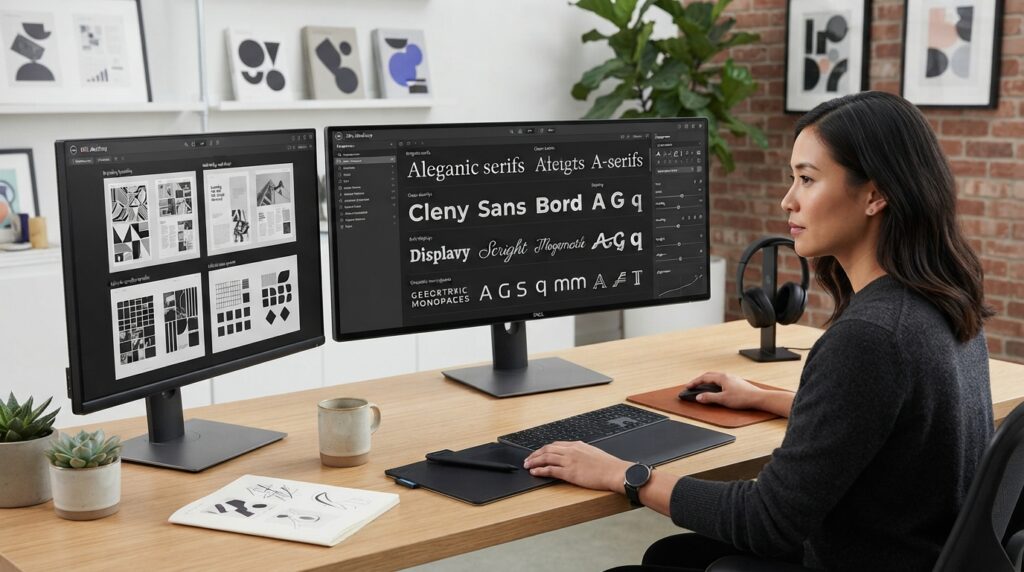
Choosing a typeface can change the entire appearance of a design. A font can make a website look modern, a logo feel distinctive, or a social-media graphic appear more polished.
Fontlu is an online name associated with font discovery and typography tools. The currently accessible Fontlu.net website presents a font resource and includes a Font Creator Tool that lets users enter text, select a font, adjust its size, and preview the result. It also describes its resources as including free and premium fonts.
Because different websites describe Fontlu in different ways, it is useful to separate the features visible on the current site from broader claims made elsewhere.
This guide explains what Fontlu is, what users can do with it, how typography tools work, what to consider before downloading a font, and how to choose typefaces for different projects.
What Is Fontlu?
Fontlu is an online platform associated with fonts and typography.
Its current public website focuses on helping users explore font styles and test text visually. The site includes a Font Creator Tool with controls for entering text, selecting a font, choosing a size, and previewing the result.
Fontlu.net also describes itself as a source for free and premium fonts aimed at designers, developers, content creators, and other people who work with visual text.
The broader Fontlu name is also used by other websites and tools, which means descriptions of its features are not always consistent. For that reason, users should check the specific Fontlu website they are visiting before assuming that a particular feature is available.
What Can You Do With Fontlu?
The most useful way to understand Fontlu is through the typography tasks it can support.
Depending on the specific Fontlu implementation, these tasks can include:
- Exploring typefaces
- Previewing text
- Comparing visual styles
- Testing different font sizes
- Creating typography samples
- Finding fonts for design projects
- Learning about font categories
- Preparing text for creative work
The current Fontlu.net interface specifically exposes a font-preview workflow rather than requiring users to install every typeface simply to see how sample text looks.
How Does the Fontlu Font Creator Tool Work?
The current Fontlu.net tool is straightforward.
Step 1: Enter Your Text
Start by typing the words you want to test.
Using your actual project text is more useful than relying only on generic sample sentences. A font can look excellent in one phrase and less effective when used with your real headline, brand name, or paragraph.
Step 2: Select a Font
Choose the typeface you want to preview.
This lets you see how your selected wording changes when the font changes.
Step 3: Adjust the Font Size
Change the size to see whether the typeface remains clear and visually balanced.
A font that looks attractive at a large headline size may not work equally well for small body text.
Step 4: Preview the Result
Review the text visually before deciding whether the typeface fits your project.
This simple step can save time because you can eliminate unsuitable fonts before using them in a full design.
Step 5: Copy Your Text
The current tool also provides a copy function, allowing users to copy the displayed text after testing it.
Why Is Font Preview Useful?
Font preview is one of the simplest ways to make better typography decisions.
Instead of judging a font only from its name or thumbnail, you can test the actual words you plan to use.
For example, imagine that you are designing a coffee-shop logo.
A font may look elegant when displaying a generic alphabet but feel too formal when applied to the actual business name.
Previewing the real text gives you a more realistic impression.
Fontlu for Different Types of Users
Font tools are not limited to professional type designers.
Graphic Designers
Graphic designers frequently test multiple typefaces before settling on one.
Font previews can make that comparison faster.
Web Designers
Website typography needs to balance appearance and readability.
A designer can test different styles for headlines, navigation, buttons, and supporting text before implementing the final choice.
Content Creators
Social-media posts, thumbnails, banners, and promotional graphics all depend on typography.
Testing fonts before building a complete graphic can reduce unnecessary revisions.
Developers
Developers often need to think about typography in terms of readability, hierarchy, spacing, and screen size.
A font-preview tool can help during the early design stage.
Small Businesses
Business owners may need typography for:
- Logos
- Flyers
- Menus
- Social posts
- Presentations
- Websites
- Promotional materials
A simple preview tool can help them explore possibilities without requiring advanced typography knowledge.
Understanding the Main Font Categories
Knowing the major font families makes Fontlu-style font browsing much easier.
Serif Fonts
Serif typefaces have small finishing strokes attached to letters.
They are commonly associated with:
- Editorial designs
- Books
- Traditional branding
- Formal publications
Serifs can create a classic or established visual impression.
Sans-Serif Fonts
Sans-serif fonts do not have those additional strokes.
They are widely used in:
- Websites
- Applications
- Interfaces
- Modern branding
- Presentations
Their relatively simple shapes can work particularly well in digital environments.
Script Fonts
Script typefaces are inspired by handwriting or calligraphy.
They can be useful for:
- Invitations
- Creative branding
- Beauty businesses
- Personal projects
- Decorative headlines
However, highly decorative scripts can become difficult to read when used for long passages.
Display Fonts
Display fonts are designed to attract attention.
They often work best for:
- Headlines
- Posters
- Logos
- Campaign graphics
- Large promotional text
Because they can be visually strong, they are usually more effective in limited quantities.
Monospace Fonts
In a monospace typeface, characters occupy consistent horizontal space.
These fonts are strongly associated with:
- Programming
- Code editors
- Technical interfaces
- Developer-focused designs
How to Choose the Right Font
Finding an attractive typeface is only the beginning.
A useful font should also match the purpose of the project.
Consider Your Audience
Think about who will read the text.
A playful typeface may work for children’s content but create the wrong impression for a legal document.
Consider Readability
Body text needs to be easy to read.
A beautiful decorative font is not necessarily a good choice for several paragraphs of continuous content.
Match the Brand Personality
Typography can contribute to brand identity.
For example:
- Serif can suggest tradition or sophistication.
- Sans-serif can suggest simplicity or modernity.
- Script can create an expressive or handcrafted feel.
- Display fonts can create a stronger visual statement.
These are broad design associations rather than fixed rules.
Think About the Medium
A font may work differently on:
- Desktop screens
- Mobile screens
- Printed materials
- Large posters
- Small labels
Always test typography in the environment where the audience will actually see it.
What Is Font Pairing?
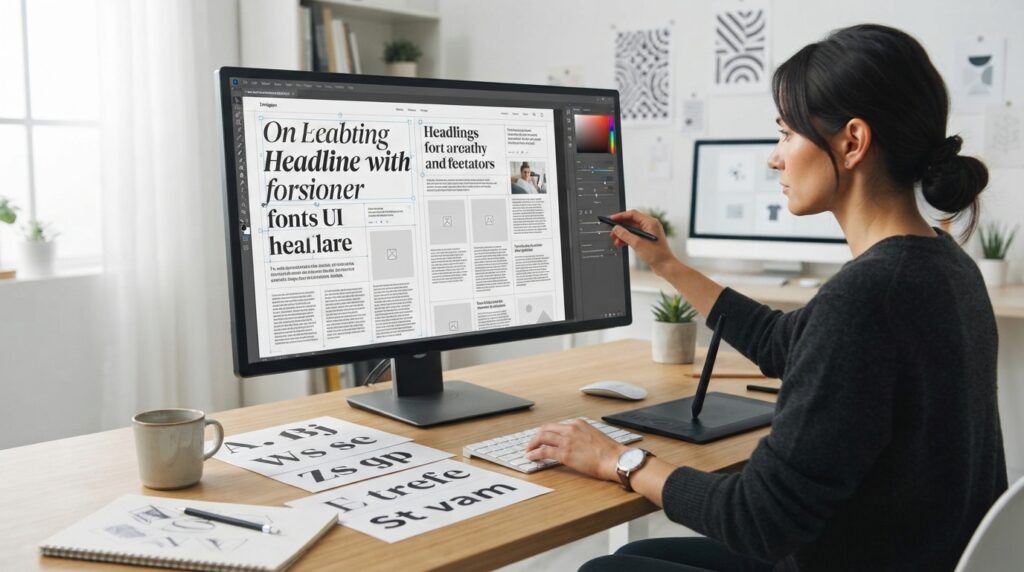
Font pairing means combining two or more typefaces that work well together.
A common approach is to use one font for headings and another for body text.
For example, a designer might combine:
A distinctive serif heading + a clean sans-serif body font
The contrast creates hierarchy without making the page feel visually chaotic.
The goal is not to use as many fonts as possible. In most projects, a small and consistent type system is easier to read.
How to Create Better Font Pairings
When testing combinations, look for meaningful contrast.
You can vary:
- Serif vs. sans-serif
- Weight
- Size
- Width
- Spacing
- Style
Avoid combining typefaces that are so similar that the difference looks accidental.
At the same time, avoid pairings that compete for attention.
A strong hierarchy usually makes it obvious which text is the headline and which text is supporting information.
Does Font Choice Affect Readability?
Yes.
Typography influences how easily people can process written information.
Important factors include:
- Font size
- Line height
- Letter spacing
- Character shape
- Contrast
- Text width
- Weight
A visually attractive font can still be a poor choice if readers struggle to distinguish its characters.
This is especially important for body text, instructions, forms, navigation, and other information people need to read quickly.
Fontlu and Branding
Typography can become a recognizable part of a brand.
Consider how often companies use a consistent type style across:
- Websites
- Packaging
- Advertisements
- Presentations
- Social-media graphics
- Business documents
Changing fonts randomly across every piece of content can make a brand feel inconsistent.
A better approach is to establish a small typography system and use it repeatedly.
Fontlu for Web Design
When selecting fonts for a website, appearance should not be the only consideration.
You should also think about:
Readability
Visitors should be able to read paragraphs comfortably.
Responsive behavior
Text needs to remain effective on both large and small screens.
Performance
Web fonts can affect loading behavior, so unnecessary font variations should be avoided.
Accessibility
Typography should remain understandable for users with different visual needs.
Consistency
Headings, body text, buttons, navigation, and other elements should follow a coherent system.
Font Licensing: An Important Step
One of the easiest mistakes to make when working with fonts is assuming that a font is free simply because it can be downloaded.
Those are two different things.
A font may be:
- Free for personal use
- Free for commercial use
- Open source
- Available under a specific commercial license
- Offered as a paid font
- Restricted to certain applications
Always read the license associated with a font before using it commercially.
This matters particularly for:
- Logos
- Client work
- Products for sale
- Advertising
- Websites
- Packaging
- Apps
- Printed materials
The current Fontlu.net website itself distinguishes between free and premium fonts and advises users to check licensing details.
Can Fontlu Fonts Be Used Commercially?
There is no universal answer for every font.
Commercial rights depend on the individual font’s license.
Even if a font is listed on a platform that offers free resources, the license attached to that particular typeface determines how it can legally be used.
Before using a font in a business project, check the license rather than relying solely on the word “free.”
Is Fontlu a Font Generator?
The answer depends on what you mean by “font generator.”
The current Fontlu.net site provides a Font Creator Tool that lets users enter text, choose a font, select its size, preview the result, and copy the text.
That is different from software that designs an entirely new typeface from scratch.
If your goal is to create a brand-new font family with custom letterforms, you would normally need dedicated font-design software.
Can Fontlu Replace Photoshop, Canva, or Figma?
No.
Font and typography tools serve a different purpose from full design applications.
Programs such as Photoshop, Canva, and Figma are designed for broader visual composition.
A font tool is more specialized.
It can help you decide:
- Which typeface to use
- How text looks
- Which size works
- Which style fits your project
You would then use your preferred design software to build the complete composition.
What File Formats Should You Look For?
Font files come in several formats.
TTF
TrueType Font is widely supported and commonly used for desktop applications.
OTF
OpenType Font supports advanced typographic features and is widely used in professional design workflows.
WOFF and WOFF2
These formats are commonly associated with web use.
The correct format depends on where the font will be used and what licensing terms accompany it.
Is Fontlu Free?
The current Fontlu.net website presents both free and premium font resources.
That means “Fontlu” should not automatically be interpreted as meaning that every resource on or associated with the name is free.
Individual fonts may have different terms, so check the relevant page and license before using one.
Is Fontlu Safe to Use?
Safety should be considered separately from typography quality.
When downloading fonts or other files from any website:
- Use a current browser.
- Keep your operating system updated.
- Avoid suspicious download advertisements.
- Scan unexpected files when appropriate.
- Check the file extension before opening it.
- Read the licensing information.
- Prefer trusted sources.
Also make sure that the website address you are using is the one you intended to visit. The Fontlu name currently appears across multiple online properties, so domain identity matters.
Why Are There Different Websites Called Fontlu?
This is one of the most important things to understand when researching the keyword.
Current search results contain several websites and tools using the Fontlu name, but their descriptions are not identical.
For example, Fontlu.net presents itself as a font resource with a Font Creator Tool, while another current implementation describes a browser-based typography tool with Google Fonts, pairing, comparison, and CSS export.
Meanwhile, third-party articles sometimes describe Fontlu as a much broader font-management ecosystem.
Therefore, the name “Fontlu” alone does not establish that every website using it belongs to the same service or offers the same features.
Check the exact domain before creating an account, downloading a file, or relying on a feature description.
Fontlu vs. a Traditional Font Library
A traditional font library primarily helps users find and download typefaces.
A typography tool can go further by helping users test those fonts with their own text.
That distinction is important.
Searching for a font by thumbnail tells you what the typeface looks like in a sample.
Previewing your own headline tells you whether it actually works for your project.
Practical Fontlu Workflow for a New Design
If you are beginning a project, a simple workflow can save time.
1. Define the project
Know whether you are designing a website, logo, poster, social graphic, presentation, or another type of material.
2. Identify the desired personality
Decide whether the design should feel:
- Modern
- Traditional
- Elegant
- Friendly
- Technical
- Minimal
- Playful
3. Explore suitable type categories
Start with broad categories rather than randomly testing hundreds of fonts.
4. Preview real project text
Use the actual headline or brand name whenever possible.
5. Compare alternatives
Test several candidates before choosing.
6. Check readability
Especially for body text, don’t choose purely on appearance.
7. Check licensing
Confirm that the selected font permits your intended use.
8. Apply the typography consistently
Once selected, create a simple hierarchy for headings, body copy, captions, buttons, and other elements.
Common Font Selection Mistakes
Using Too Many Fonts
More fonts do not automatically create a better design.
Too many competing styles can make a project feel disorganized.
Choosing Appearance Over Readability
A decorative font may look impressive in a large headline but become frustrating in a paragraph.
Ignoring Licensing
A downloadable font is not necessarily free for commercial use.
Forgetting Mobile Users
A font that looks excellent on a large screen may be harder to read on a phone.
Changing Fonts Without a System
Consistency is important for professional-looking designs.
Who Can Benefit Most From Fontlu?
Fontlu-style typography resources can be useful for:
- Graphic designers
- Web designers
- Developers
- Bloggers
- Social-media creators
- Small businesses
- Students
- Marketing teams
- Brand designers
- Typography enthusiasts
You do not need to be a professional typographer to benefit from previewing and comparing typefaces.
What Are the Main Benefits of a Font Preview Tool?
A font preview workflow can help you:
- Reduce trial and error
- Test real text
- Compare visual styles
- Make typography decisions faster
- Improve design consistency
- Evaluate readability
- Explore new typefaces
The main benefit is not simply access to more fonts.
It is the ability to make better choices before committing to a design.
Limitations to Keep in Mind
Font tools are useful, but they do not automatically solve every typography problem.
You may still need separate software for:
- Full graphic design
- Logo construction
- Original typeface creation
- Advanced layout
- Brand guidelines
- Web development
- Professional font editing
You should also verify individual font licenses rather than assuming that a platform’s general description applies to every typeface.
Frequently Asked Questions
1. What is Fontlu?
Fontlu is an online name associated with font resources and typography tools. The current Fontlu.net website includes a Font Creator Tool for testing text with different fonts and sizes.
2. Is Fontlu a font website?
Yes, Fontlu.net describes itself as an online font resource offering free and premium fonts, alongside its font-preview tool.
3. Is Fontlu free?
Some Fontlu resources are presented as free, while the site also describes premium fonts. Individual licensing terms should always be checked.
4. Is Fontlu a font generator?
Fontlu.net provides a Font Creator Tool for previewing text with selected fonts and sizes. It should not automatically be confused with dedicated software for designing completely new typefaces.
5. Can I use Fontlu for logo design?
You can use font-preview tools to test typography for logos, but you should verify the selected font’s licensing terms before using it commercially.
6. Can I use Fontlu fonts commercially?
That depends on the license of the specific font. Always check the individual license before using a typeface in commercial work.
7. What are the main font categories?
Common categories include serif, sans-serif, script, display, and monospace fonts.
8. Why should I preview a font before using it?
A preview lets you test your actual wording and see whether the font fits your project’s size, tone, and readability requirements.
9. Can Fontlu replace a design program?
No. Font and typography tools complement broader applications such as design and layout software rather than replacing them.
10. How do I choose a good font?
Start with the project’s purpose, audience, readability requirements, brand personality, device, and licensing needs. Then test several candidates using real project text.
Final Thoughts
Fontlu sits within a broader typography workflow where discovering and testing typefaces can be much easier than choosing a font blindly. The current Fontlu.net website provides a straightforward way to work with font resources and preview text, while the wider web contains other descriptions and implementations using the Fontlu name.
That distinction matters. Instead of assuming that every feature mentioned in third-party articles belongs to one universal Fontlu platform, check the exact website and verify what it currently offers. For designers and creators, the practical lesson is simple: preview fonts with real text, prioritize readability, keep typography consistent, and always check licensing before commercial use. Those habits remain useful regardless of which font platform or design application you ultimately choose.