Latest YouTube Video Download Online for Free
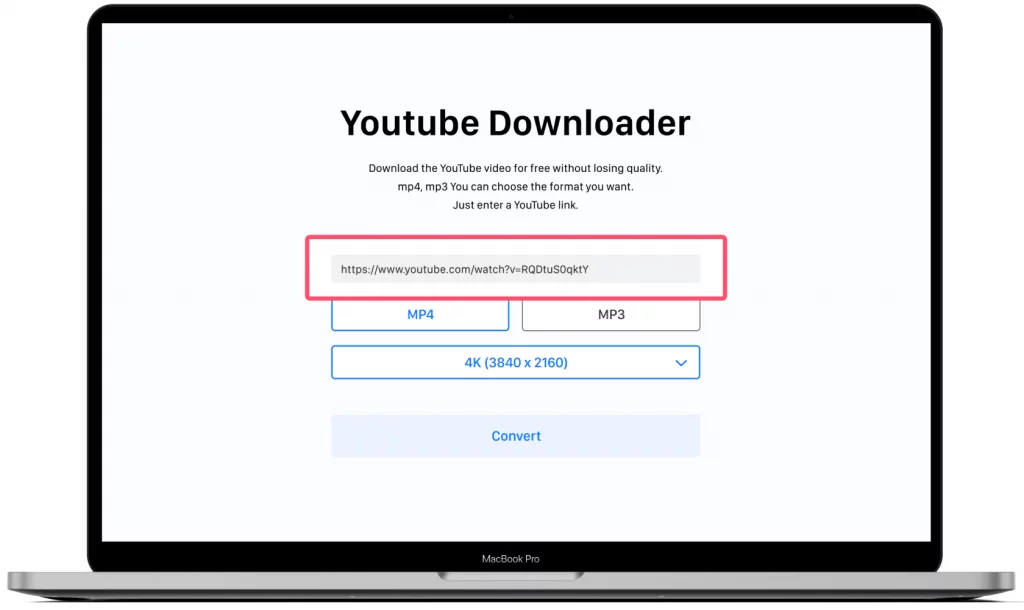
Free browser-only downloading works better in 2026 than it ever has, and it also lies to you more than it ever has. Both things are true at once. The good tools now deliver 1080p MP4 files straight to a phone with no app, no signup, and no payment, while the bad ones have refined every trick for turning your clicks into their ad revenue. Knowing which is which comes down to a handful of specifics.
What “Online for Free” Actually Means, And What It Does Not
Online means the entire process happens in your browser. The moment a site asks you to install an app, an extension, or a “download manager,” it has left the category, whatever its homepage claims. On iPhone this distinction is everything, since browser-based tools are effectively the only kind that function there at all.
Free means no payment and no signup. A tool demanding your email before the download has set data harvesting as its price, and your inbox pays it for months.
What a genuinely free online tool delivers in 2026: MP4 files at 1080p as the common ceiling, with 4K available on the better ones. What it doesn’t deliver is bulk. Online tools process one video at a time, and playlist downloading remains desktop software territory. For most people saving a few videos a week, that trade costs nothing.
What Changed in 2026 for Free Online Downloads
Mobile browser support matured the most. Downloads now complete directly inside Safari and Chrome on phones, where two years ago iOS users hit dead ends and workarounds. The file lands in the Files app like any other download.
Quality moved up a full tier. 1080p sat behind paywalls on most tools not long ago, and now the decent free ones offer it by default, with 4K increasingly common.
YouTube’s tightened anti-bot measures did the culling. A large share of older tools stopped working through 2024 and 2025, which is the specific reason your bookmarked tool from a few years back now returns errors or nothing. The tools that survived are the actively maintained ones, and that filter did users a quiet favor.
Registration walls became a red flag rather than a norm. Quality tools dropped signup requirements entirely, so a site still demanding an account is either outdated or collecting emails as its real business.
How to Do a YouTube Video Download Online for Free, Step by Step
- Copy the video URL. In the YouTube app, tap Share below the video, then Copy Link. On desktop, copy it straight from the address bar.
- Open a free browser tool and paste the link. A site built for youtube video download online for free takes the pasted link with no signup and no install, and fetches the available quality options in a few seconds.
- Pick quality against your storage. 720p suits a phone with limited space and looks identical to 1080p on a phone screen anyway. Go 1080p or higher for laptop and TV viewing.
- Stay on the same tab while it downloads. If a new tab opens when you tap the button, that tab is an ad. Close it without clicking anything inside it and tap the download button again.
- Find and test the file. iPhone: Files app, Downloads folder. Android: Downloads via any file manager. Desktop: Downloads folder. Play it once to confirm it’s complete before you rely on it.
The Hidden Catches Behind “Free” Tools
Quality bait is the most common one. The site displays a 4K option, you select it, and the delivered file is 480p. Right-click the file, open Properties or Get Info, and read the actual resolution, because that field is the only claim that can’t be faked.
Redirect ads range from annoying to dangerous. On the mild end, every click detours through an ad tab first. On the bad end, those detours land on pages pushing fake “codec pack” installs, and the codec pack is the malware.
Fake queue screens exist purely to multiply your clicks. “Your download is being prepared, click here to continue” looping three times is not preparation, it is three served ads. A real download starts within seconds of one click.
Watermarks are the quietest catch. Some free tools stamp a logo on the output video, visible in the first seconds of playback, which is exactly where to check your test download.
All of these exist because free tools have to earn somehow. The honest ones run one visible banner and leave your clicks alone. The rest have made your clicks the product.
How to Keep Using Free Tools Without Risking Your Device
Block every notification permission request, every time. A single Allow tap gives a site a permanent spam channel to your device, and it’s the one mistake on this list that keeps costing you after you’ve left the site.
Bookmark the one tool that passed your testing and stop searching for new ones. Fresh searches for “free downloader” are where the clone sites live, because their owners buy ads against that exact phrase and mimic the names of tools people half-remember.
The only thing you ever download is your video file. A downloader site offering you an app, a codec pack, or a “speed booster” is offering malware with a helpful name.
If your trusted tool changes behavior, treat it as a new, untrusted site. New pop-ups or forced redirects appearing on a previously clean tool usually mean the domain changed hands, and the trust it earned left with the old owner.